


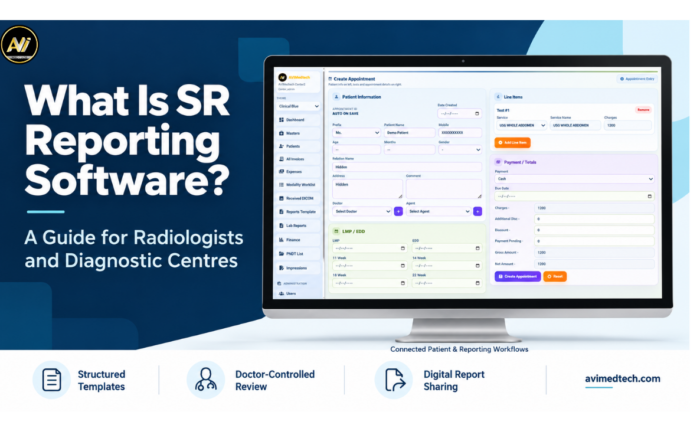
SR reporting software enables the radiologist to produce reports using pre-defined templates, with consistent sections and editable clinical content. It provides the doctor with a structured starting point whilst still allowing them to document each individual exam in their own reporting style.
For the diagnostic centre the reporting process involves a number of interlinked tasks. The staff will register the patient, arrange the examination, find the previous records, manage the images and then deliver the report. The doctors themselves will also have a clear process for reviewing and approving the report.
At AVI MedTech we help the centres to bring these activities into a more structured workflow. We think reporting software should be designed to support the way that the doctors and staff work throughout the day.
This document explains what structured reporting is, how the software works and what the various diagnostic centres should be looking at when assessing a system.
What does SR mean in reporting software?
In the context of this article, SR stands for structured reporting. In other words, it is a reporting method that organises clinical information into defined sections.
Depending on the examination, a report may include:
- Patient details and examination details.
- Clinical history.
- Examination technique.
- Measurements.
- Findings.
- Impression.
- Recommendations, when appropriate.
- Reporting the doctor’s details and approval.
The structure provides doctors with a consistent framework. At the same time, they can adjust the wording, describe unusual findings and add relevant details.
However ‘SR’ has a very specific meaning in the context of medical imaging standards. The centres should be aware of that distinction before they go on to discuss software requirements.
Structured Report Templates and DICOM SR: What is the difference?
Template based reporting software assists the doctor in putting together a properly structured clinical record. The system can output the report in a variety of formats (e.g. PDF).
DICOM Structured Reporting (DICOM SR) defines specific information objects for representing structured report content within the DICOM standard. However, a product’s ability to generate reports from templates does not automatically mean it supports DICOM SR.
If your centre is in a position where it needs to exchange DICOM SR objects then ask the vendor to demonstrate that capability. Make sure it’s compatible with your current systems and get the relevant conformance information.
How does SR reporting software work?
The exact process will vary depending on the software and the configuration of the centre. The typical reporting process will generally follow these stages though.
1. Register or Select the Patient
Staff either create a patient record or locate an existing one. They check the patient details and select the appropriate examination.
Correct patient identification is the bedrock of the rest of the process.
2. Open the Examination and Relevant Information
The doctor looks at the examination details, the clinical history and any supporting information that’s available.
Where the system is configured to do so the doctor can also go on to view the previous reports and/or access the associated images.
3. Choose an Appropriate Report Template
The doctor picks a template that’s appropriate for the examination.
The template provides a neat layout which reduces the need for repetitive formatting. The doctors can then go in and tailor the sections and content to the individual case.
4. Enter Findings and Prepare the Impression
Docs record their observations via typing, via re-usable phrases or via voice assisted tools as the case may be.
They look at any content that’s been inserted and adjust it to the real exam.
5. Review and Authorise the Report
The doctor looks at the patient details, the measurements, the findings, the impression and the relevant attachments.
Once the review is complete the doctor is authorised to approve the report via the prescribed process.
6. Deliver the Completed Report
Staff print or share the approved report via the available delivery methods.
Digital sharing can be via email, via WhatsApp or via QR based access (depending on the package and service configuration.
Key Features of SR Reporting Software
A useful reporting system should support both report preparation and the tasks surrounding it. These features deserve attention during a demonstration.
Customisable Structured Report Templates
Templates help doctors organise recurring report sections without starting from a blank document.
However, a consistent layout should also allow flexibility. Doctors may need to add observations, change headings or expand an impression.
Look for the ability to:
- Edit findings and impression text.
- Save commonly used formats.
- Adjust headings and section order.
- Maintain preferred wording.
- Preview the completed report clearly.
The aim is to support the doctor’s reporting style while keeping information organised.
Quick Findings and Impression Shortcuts
Reusable phrases can reduce repeated typing during routine documentation.
For example, a doctor may save commonly used wording and insert it when appropriate. The doctor should then review and edit that wording to reflect the examination.
During the demonstration, check how users create, search and update these shortcuts. Also ask whether individual doctors can maintain their own preferred phrases.
Voice-to-Text Reporting
Voice-to-text reporting allows doctors to dictate content and edit the resulting text.
Test this feature with the terminology and working conditions your doctors normally use. Then, check how easily they can correct words, adjust punctuation and move between sections.
Doctors must still verify names, measurements, units and clinical terms before approving the report.
Patient History and Previous-Report Access
Follow-up examinations often require earlier information.
A doctor may need to review a previous finding, compare documented measurements or check the date of an earlier examination.
SR reporting software should make relevant records easy to locate. During a demonstration, use a returning patient example to assess the search process and record organisation.
Access to earlier information supports comparison, while the doctor determines its clinical significance.
Image Upload and Management
Relevant images and supporting documents should remain linked to the correct patient and examination. Therefore, check how the software uploads files and displays attachments. In addition, review how it includes selected images in the final report.
Doctor Review and Authorisation
If your centre needs DICOM viewing or PACS integration, evaluate those requirements separately. A standard image attachment feature may not provide the same functionality.
A clear approval process helps teams understand who can prepare, edit and release reports.
Ask the vendor to explain:
- Who can create a draft.
- Who can change report content.
- Who can approve the final report.
- How the system applies the doctor’s signature.
- How users handle corrections after finalisation.
Report preparation tools assist documentation. Clinical interpretation and final approval remain with the doctor.
Report Tracking and Digital Sharing
Staff need a practical way to identify reports that still require attention.
Confirm which workflow stages the system supports and how users identify pending reviews or completed reports.
Also review the sharing process. Staff should verify recipient details and follow the centre’s permissions and consent procedures before sending patient information.
How SR Reporting Software Supports Daily Practice
The usefulness of structured reporting becomes more apparent if you look at the tasks which doctors and staff carry out each day.
Less Repetitive Documentation
Templates and saved phrases reduce the need to type standard wording and recreate report layouts. As a result, doctors can spend more time tailoring each report to the individual case.
More Consistent Report Organisation
Sections that are defined allow teams to present the information in a familiar sequence.
It is easier for readers to find the findings, the measurements and the impressions when the reports have a clear structure.
A consistent layout helps communication, even though the doctor has to make sure that the content is complete and clinically appropriate.
Easier Access to Relevant Records
Having properly organised patient records makes it easier for staff to obtain earlier reports and the relevant documents.
It can cut down the amount of time that teams spend looking through separate folders or files.
Clearer Coordination Between Teams
Receptionists, reporting staff and doctors contribute at different stages of the process. By connecting these stages, the system helps them identify what needs attention and understand the next step. However, the practical benefits depend on the available functions, staff training and how well the setup matches the centre’s workflow.
SR Reporting Software Compared With a Basic Document Editor
A document editor can support report writing and formatting. A dedicated reporting system may also connect the document with patient records and operational activities.
| Area | Basic Document Editor | Dedicated Reporting Software |
|---|---|---|
| Report Preparation | Users manage documents and templates. | Users prepare reports within an examination workflow. |
| Patient Information | Staff may enter details manually. | The system may reuse details from the patient record. |
| Previous Reports | Users locate saved files. | Users may access reports through patient history. |
| Approval | Teams arrange their own process. | The system may provide defined approval permissions. |
| Report Tracking | Staff maintain a separate tracker. | Available workflow tools may show reporting progress. |
| Billing & Appointments | Usually require separate tools. | Connected modules may support these activities. |
| Delivery | Users export and send files. | Integrated sharing options may support delivery. |
These capabilities vary between products and packages. Ask to see the functions your centre needs rather than assuming every system includes them.
Frequently Asked Questions About SR Reporting Software
What is SR reporting software?
SR reporting software enables the doctor to produce structured reports using pre-defined templates and sections. The product may also include support for patient history, images, approval, tracking and report delivery.
Can radiologists customise report templates?
Customisable systems enable the radiologist to alter the headings, the findings, the impressions and indeed any other content within the report. Confirm the extent of control that is available and whether there is an additional charge for the development of further templates.
Does structured reporting mean that every report uses the same wording?
No. Structured reporting provides a framework. The doctor can then tailor the text and detail to the individual patient’s examination and clinical situation.
Is SR reporting software the same as DICOM SR?
The terms can mean different things. For example, template-based reporting helps users create clinical documents, whereas DICOM SR refers to structured report information objects within the DICOM standard. Therefore, you should confirm your interoperability requirements with the vendor.
Can the software support ultrasound reporting?
Appropriate software can be used to support ultrasound reporting via relevant templates and documentation facilities. You need to confirm what the package contains in terms of the specific examinations, calculations and so on.
Does voice to text reporting get rid of the need for doctor review?
No. The doctors have to go through the dictated notes and make any corrections they feel are necessary prior to authorising the report.
Can reporting software interface with billing?
Some systems offer connected billing and patient management modules. Therefore, ask the vendor to demonstrate the complete workflow and confirm which modules the proposal includes.
Bring More Structure to Your Reporting Workflow
Choosing SR reporting software is all about understanding how your centre currently prepares, reviews and delivers the reports.
Look for a system that supports the doctor’s reporting style. In addition, it should provide relevant information when needed and help staff manage their daily work.
With this in mind, at AVI MedTech, we help radiologists and diagnostic centres explore reporting tools that suit their daily workflows.
Book a free demo to see how AVI MedTech can support your day to day reporting workflow.
Website: www.avimedtech.com
Call on: +91-9718054212