


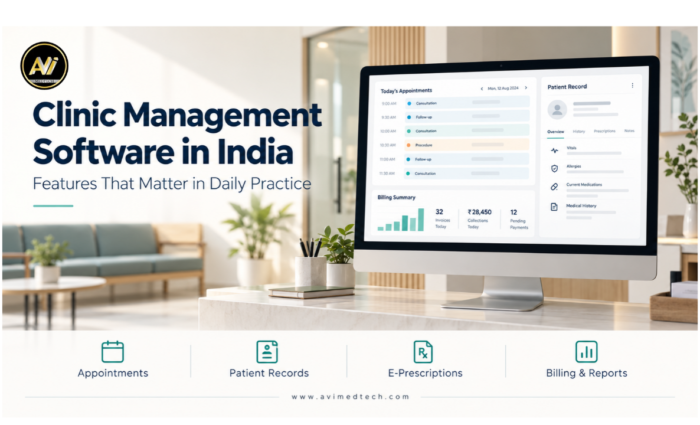
Clinic Management Software in India: Features That Matter in Daily Practice
The first patient has arrived, the phone is ringing and a member of the reception staff is searching for a previous prescription. At the same time, the doctor requires the medical history of the next patient and another patient is waiting for a payment receipt.
In a clinic these are just normal situations. However, if the information is kept in separate files and spreadsheets, even minor tasks can disrupt the day’s work.
The clinic’s management software links together appointments, patient records, prescriptions and billing in a single, connected workflow. It is obvious what a benefit this is when the receptionist is able to quickly locate a returning patient, the doctor can review a previous consultation and the billing staff can check an outstanding payment all without having to go through a number of different records.
When Indian clinics are looking at clinic management software, the features that are most useful are those which meet these ordinary requirements. The following points outline what to look for and explain why each feature is important.
1. Patient registration in such a way as to make subsequent visits easier
Patient registration should make future visits easier. To achieve this, a well-organised system helps staff find existing records. Then, they can verify patient details and update information where needed. As a result, they can register a new visit without entering the same information again.
- Create a patient record with a unique patient ID.
- Search existing records by name, phone number or patient ID.
- Update contact information without creating unnecessary duplicates.
- Link subsequent visits to the patient’s existing history.
2. Appointment Scheduling and Queue Management
A clinic’s schedule can change throughout the day. For example, walk-ins may arrive, consultations may run longer or doctors may update their availability. To manage these changes, appointment and queue management tools help reception staff track patient arrivals and consultation progress. As a result, the team can coordinate the day’s schedule more easily.
- Book, reschedule and cancel appointments.
- Manage scheduled visits alongside walk-in patients.
- Track patients who have arrived, are waiting or have completed consultation.
- View doctor-wise schedules and consultation status.
- Send appointment reminders through configured communication channels.
3. Electronic Medical Records and Patient History
Doctors often need previous prescriptions, consultation notes and investigation reports during follow-up visits. Electronic medical records help organise this information so the relevant details are easier to retrieve.
- Maintain a clear, visit-wise patient history.
- Access previous consultation notes and prescriptions.
- Attach investigation reports and supporting documents.
- Identify records by the relevant visit and date.
- Keep clinical information linked to the correct patient.
4. E-Prescriptions That Support the Doctor’s Workflow
E-prescription software helps doctors prepare clear, consistent prescriptions. The layout should support quick documentation while allowing the doctor to adjust every entry to the patient’s needs.
- Record medicine names, dosage, frequency and duration.
- Add consultation advice and follow-up instructions.
- Use editable templates for commonly used instructions.
- Print or share prescriptions through available options.
- Review patient details and all prescription entries before issuing.
5. Billing and Payment Tracking
Clinic billing software should help staff understand both the charges raised and the payments received. Clear payment records make it easier to review daily collections and follow up on outstanding amounts.
- Generate bills for consultations, procedures and other services.
- Record payments and issue receipts.
- Track paid, partially paid and pending bills, where supported.
- Retrieve previous bills and transaction details.
- Review outstanding balances and daily collections.
6. Patient Communication and Follow-Up Reminders
Reception teams regularly confirm appointments, communicate follow-up dates and share documents. To simplify these tasks, configured communication tools help organise messages through WhatsApp, email or SMS, depending on the enabled services. As a result, staff can manage routine patient communication more efficiently. In addition, reusable message templates can reduce repetitive typing where available. As a result, staff can manage routine patient communication more efficiently.
- Send appointment confirmations and reminders.
- Communicate follow-up dates.
- Share prescriptions, bills and documents through supported channels.
- Confirm which messages are automatic and which require staff action.
- Check delivery tracking and any additional messaging charges.
Patient contact details should be verified before sharing information, with appropriate consent and access procedures in place.
7. Reports and Dashboards for Daily Clinic Activity
Useful reports help clinic owners understand patient activity, collections and pending work. Furthermore, clear filters and consistently entered data make these reports more practical for everyday review.
- View daily appointments and completed visits.
- Review billed amounts and payments received separately.
- Track unpaid bills and outstanding balances.
- Compare activity by doctor or branch, where applicable.
- Filter reports by date, doctor or location.
8. Role-Based Access and Data Backup
Receptionists, doctors and administrators have different responsibilities. Therefore, access permissions should reflect each person’s role. In addition, a clearly defined backup process helps the clinic protect and recover its records when needed.
- Create individual accounts for authorised users.
- Set access permissions according to staff roles.
- Control access to clinical notes, billing and financial reports.
- Confirm backup frequency, storage location and monitoring responsibilities.
- Check how records can be restored after a device failure.
Backups should complete successfully and remain recoverable when needed.
9. Deployment, Training and Support
The right setup depends on how the clinic operates, including its internet connectivity, devices and locations. Staff training and clearly defined support terms also influence how smoothly the software fits into daily work.
- Review online and offline deployment options.
- Confirm access requirements across rooms or branches.
- Check which functions remain available during an internet outage.
- Arrange training for receptionists, doctors and administrators.
- Clarify installation, data migration and support scope.
- Confirm charges for renewals, customisation and additional services.
Key Features of Clinic Management Software
From patient registration to follow-up, clinic management software helps organise the tasks your team handles every day. With this in mind, key features to look for include:
-
Patient Registration
Create patient profiles and retrieve existing records easily.
-
Appointment Scheduling
Manage bookings, rescheduling and doctor availability.
-
Queue Management
Track patient arrivals, waiting status and consultation progress.
-
Electronic Medical Records
Keep consultation notes, medical history and reports organised.
-
E-Prescriptions
Prepare readable prescriptions with medicine details and follow-up advice.
-
Billing and Receipts
Generate bills, record collections and track pending payments.
-
Patient Communication
Send reminders and share documents through configured channels.
-
Reports and Dashboards
Review patient visits, daily collections and outstanding balances.
-
Role-Based Access
Provide access according to each staff member’s responsibilities.
-
Automatic Data Backup
Support record recovery through configured and monitored backups.
How AVI MedTech Supports Clinic Management
AVI MedTech offers clinic management software to help organise appointments, patient records, prescriptions, billing and daily reporting. However, each clinic has different operational needs. Therefore, the selected modules and configuration should match the clinic’s actual requirements.
Key areas include:
- Patient registration and visit history.
- Appointment scheduling and queue management.
- Electronic prescriptions and clinical documentation.
- Billing, receipts and payment tracking.
- Patient communication through configured channels.
- Reports, user permissions and backup arrangements.
During a demonstration, clinics can review a complete patient journey from registration and consultation to prescription, billing and follow-up to assess how the software supports their routine.
Choose Software Around Your Clinic’s Daily Needs
Start with the tasks that take the most time in your clinic. Whether the challenge is finding patient records, managing the waiting area or tracking pending payments, ask to see those situations demonstrated with practical examples.
Looking for clinic management software in India? To get started, request a free demo with AVI MedTech to explore the features your practice needs.
Visit www.avimedtech.com.