


Introduction
A smooth radiology reporting workflow connects patient registration, study selection, report preparation, billing and delivery. Each stage requires coordination between doctors and staff.
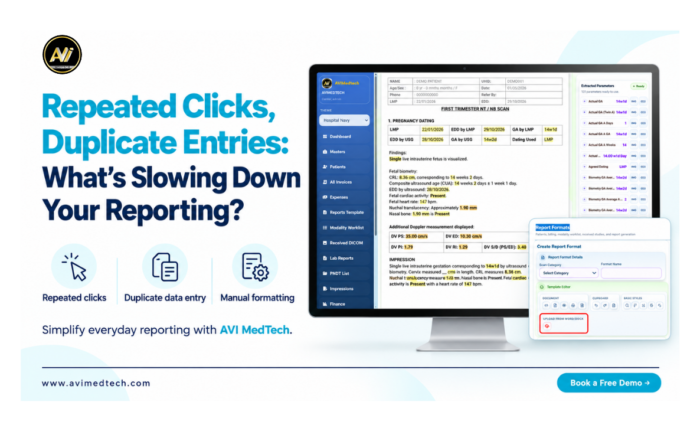
The process can end up taking an unreasonably long time because of repeated clicks, the need to enter the patient details again and the use of manual formatting. Carrying out the same tasks for each examination increases the team’s workload and interferes with the preparation of the reports.
We at AVI MedTech know how important it is to have a well-organised reporting process, and our Structured Reporting Software enables centres to carry out their daily reporting tasks using customizable templates, text shortcuts, accessible patient records and integrated workflows.
The article looks at the usual causes of delays when making reports and explains how a more organised digital workflow can help cut down on repetitive tasks.
What leads to repetitive work in the field of reporting?
Repetitive work happens when doctors or other staff have to carry out the same administrative or documentation task more than once during an examination.
Common examples include:
· Enter the patient details separately when registering and when billing.
· Opening multiple screens in order to access the study information.
· Repeatedly typing out commonly used phrases from reports.
· Make the headings and spacing suitable for each report.
· Looking through various folders to find earlier examinations.
· Phoning or sending messages to colleagues to find out the status of the report.
They are essential components of the centre’s operations, but the method in which they are managed can lead to unnecessary repetition; by identifying these gaps centres can see where improvements are needed in their workflow.
Common Tasks That Slow Down Report Preparation
1. Going back and forth between screens
During the same examination doctors might need to access the patient’s details, study images, earlier reports and the report editor. Report preparation will then become more inconvenient if accessing this information requires opening several menus or carrying out repeated searches.
Clear navigation and linked records help doctors access related information more easily. This supports a smoother radiology reporting workflow and reduces unnecessary searching.
2. Reentering patient data
To register a patient, have them supply their information for the purpose of examinations, reports and invoices. If you enter this information at each stage separately, it will increase the amount of administrative work and lead to possible typing errors.
Using information that is already available in the system will help to avoid having to enter it again. However, the staff must still check over the details before using them in another part of the workflow.
3. Retyping the content which is usually included in reports
The same headings and common descriptions are frequently found in various reports and, since they have to be prepared each time from the start, this adds to the doctor’s typing workload.
Templates with a structured format and pre-saved text shortcuts make it easier to reuse common content. The doctor is then able to alter the inserted text in light of the current examination, thus making sure that the report matches the patient’s findings.
4. Repeated Formatting Changes
Spending time on adjusting the fonts, headings, spacing, and alignment for each report is necessary. Such adjustments are likely to occur more often when the available format doesn’t match the doctor’s preferred style.
Custom report templates enable centres to set out their preferred layout in advance, thus cutting down on the need for routine formatting adjustments while still allowing modifications when a specific examination demands them.
5. The search for prior records
Previous reports and images can be of use in helping to prepare for later examinations. It is possible that finding these records when they are stored in separate folders or messages will disrupt the present case.
Putting past examinations into the appropriate patient record makes it easier to find the information. It is still necessary to correctly identify the patient and to note the examination dates when choosing records for comparison.
6. Unclear Report Status
Staff might have to keep asking over and over again whether a report is being prepared, is awaiting review or is ready for delivery if there is no clear visibility of the workflow.
Report status tracking allows team members to identify work that has not been carried out and to arrange the next step. It is therefore possible to cut down on unnecessary follow-ups and make it easier to manage daily operations.
Features That Help Reduce Repetitive Reporting Tasks
Improving your radiology reporting workflow starts with identifying the tasks your team repeats every day. The following capabilities can help reduce this repetitive work:
| Reporting Challenge | Relevant Capability | Practical Benefit |
|---|---|---|
| Repeated entry of patient details | Reuse of available patient information | Reduces duplicate typing |
| Retyping common sentences | Saved text shortcuts | Makes frequently used content easier to insert |
| Starting each report from scratch | Examination-specific templates | Provides a reusable report structure |
| Repeated layout adjustments | Customisable report formats | Helps maintain the preferred layout |
| Searching for earlier examinations | Organised patient history | Makes previous records easier to locate |
| Frequent status enquiries | Report status tracking | Helps staff identify pending tasks |
| Extra handling during delivery | Integrated sharing options | Simplifies access to report delivery tools |
The value of these features depends on how well they fit the centre’s actual reporting process. Template setup, staff training and consistent use are also important.
How AVI MedTech Helps Simplify Everyday Reporting
AVI MedTech supports a connected radiology reporting workflow with customisable templates, text shortcuts, patient records and tools for managing and delivering reports.
Customisable Reporting Templates
Tailor the headings, content, and layout to match the doctor’s preferences and the requirements of the centre by using examination-specific templates.
Text Shortcuts for Frequently Used Content
Save frequently used sentences or paragraphs using a text shortcut and then insert the saved content when you are reporting, making any necessary edits to match the current findings.
Voice-to-Text Documentation
Type the content of the report into the editor in order to cut down on manual typing. Before finalising the report, check over and improve the text that has been transcribed.
DICOM-to-Invoice Workflow
Get the patient details that are available from the chosen DICOM study, check the information and fill in the billing details required to produce the invoice.
Patient Records and Study Images
Within the reporting workflow you can access the patient information and the study images, which helps doctors to find the material they need for preparing their reports.
Report Tracking and Digital Sharing
Status tags should be used for keeping track of the progress of the reporting and digital sharing options should be used to assist with the delivery afterwards when the report has been reviewed and approved.
The software includes facilities for documenting and managing workflows. The doctor continues to have control over the clinical findings, the interpretation and the final approval.
Benefits of a More Connected Reporting Process
- Reducing repetitive tasks can support several practical improvements.
- Staff spend less time entering the same data.
- Less need to retype the content that is often used in reports.
- Reports have a more consistent structure and presentation.
- Greater availability of patients’ records and of their earlier examinations.
- A more clear view of the reporting work that is pending.
- Improved cooperation between doctors and staff.
- A more systematic method of delivering reports.
These enhancements enable the centres to carry out their routine duties more efficiently without sacrificing the review stages required for each examination.
How to Review Your Current Reporting Workflow
Before you choose new software or alter a process, carry out one inspection from the time of patient registration until the final report is delivered.
Look to see where the same information is entered once more, which screens are opened repeatedly and what formatting changes take place in each report. Also ask the doctors and staff which tasks require the most effort during busy periods.
When showing the software, use some real-life situations and check out your favourite templates, your access to past records, invoice creation and the ability to share reports. This way you can decide if the software meets the everyday needs of your centre.
Build a Smoother Reporting Workflow with AVI MedTech
AVI MedTech connects reporting tools and daily operations to help doctors and staff reduce repetitive work and manage reports more efficiently.
- Reduce duplicate entries Reuse available patient details to minimise repeated typing during reporting and billing.
- Simplify report preparation Use examination-specific templates and saved text shortcuts to prepare and edit reports more easily.
- Maintain consistent layouts Customise headings, sections and formatting to match the doctor’s preferred reporting style.
- Access previous records Find earlier reports and relevant study images through organised patient history.
- Track pending reports View report status to identify work awaiting preparation, review or delivery.
- Review and share reports Preview reports before the doctor’s final approval, then use available sharing options for delivery.
Book a free demo to see how AVI MedTech fits your centre’s reporting needs.
Frequently Asked Questions
1. Why do repeated clicks slow down reporting?
Repeated navigation adds steps to report preparation. Moving through several screens to find patient details, images or previous records can interrupt the doctor’s work.
2. How can reporting software reduce duplicate entries?
A connected system can reuse information already available in patient records or imaging studies. This reduces the need to enter the same details separately, while allowing staff to review them before use.
3. How do text shortcuts help during reporting?
Text shortcuts let doctors insert saved sentences or paragraphs without typing the full content again. The inserted text can then be edited to reflect the current examination.
4. Can report templates match a doctor’s reporting style?
AVI MedTech supports customisable report templates. Headings, content and layout can be adapted to the doctor’s preferences and the centre’s reporting requirements.
5. What is AVI MedTech’s DICOM-to-Invoice workflow?
It allows staff to fetch available patient details from a selected DICOM study, review them, complete the billing information and create an invoice.
6. Does reporting software replace the doctor’s judgement?
No. Reporting software supports documentation and workflow tasks. The doctor remains responsible for interpreting the examination, reviewing the content and approving the final report.